Polygraf AI — App
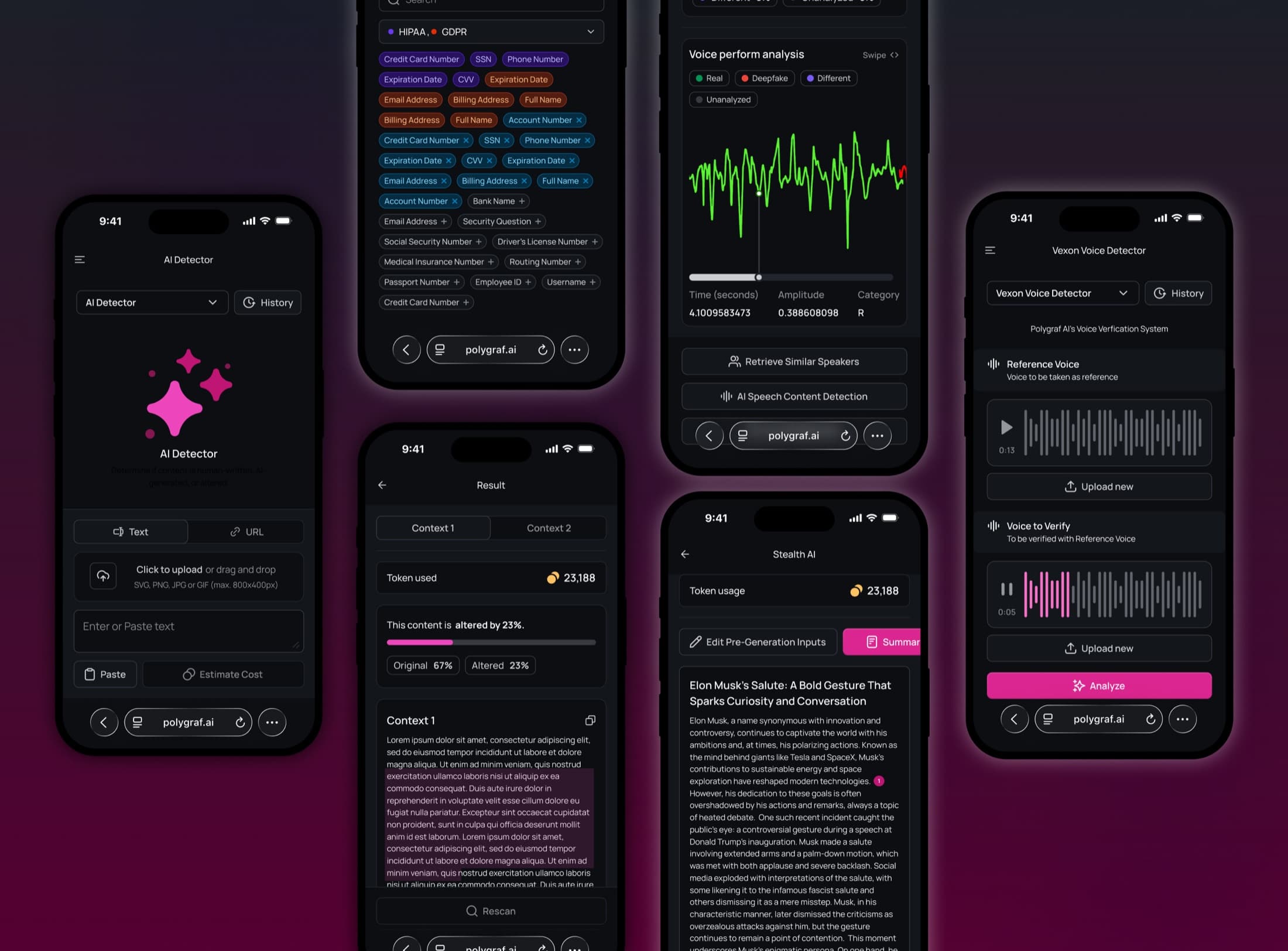
I designed Polygraf AI's mobile-first web application, creating an intuitive interface for 11 AI-powered security tools across data privacy, provenance, and content generation. The design made complex enterprise AI accessible on any device during their critical pre-funding period.
- Role
- Lead Product Designer
- Timeline
- Oct 2023 — Dec 2024
- Platform
- Responsive web · mobile-first
- Client
- Polygraf AI
- Skills
- Product DesignInteraction DesignDesign Systems
- Tools designed
- 11
- Product areas
- 3
- Seed round closed
- $9.5M
Challenge
Working logic, no interface
Polygraf AI had functional AI security tools with working logic but virtually no user experience or interface design. As the company entered a critical pre-funding period ahead of major industry showcases (SXSW and TechCrunch Disrupt), they needed a professional, fully responsive web application that could work seamlessly across all devices. The complex technical nature of their AI security products—covering data privacy, provenance detection, and content generation—presented a significant design challenge: making sophisticated enterprise tools accessible to both technical and non-technical users.
Action
Eleven tools, one learnable structure
I started by conducting extensive stakeholder meetings to deeply understand each of Polygraf AI's products. Given the highly technical subject matter around data security, AI detection, and privacy tools, I needed to grasp not just what each tool did, but who would use it, why, and in what contexts. This discovery phase was crucial for translating complex AI functionality into intuitive user experiences.
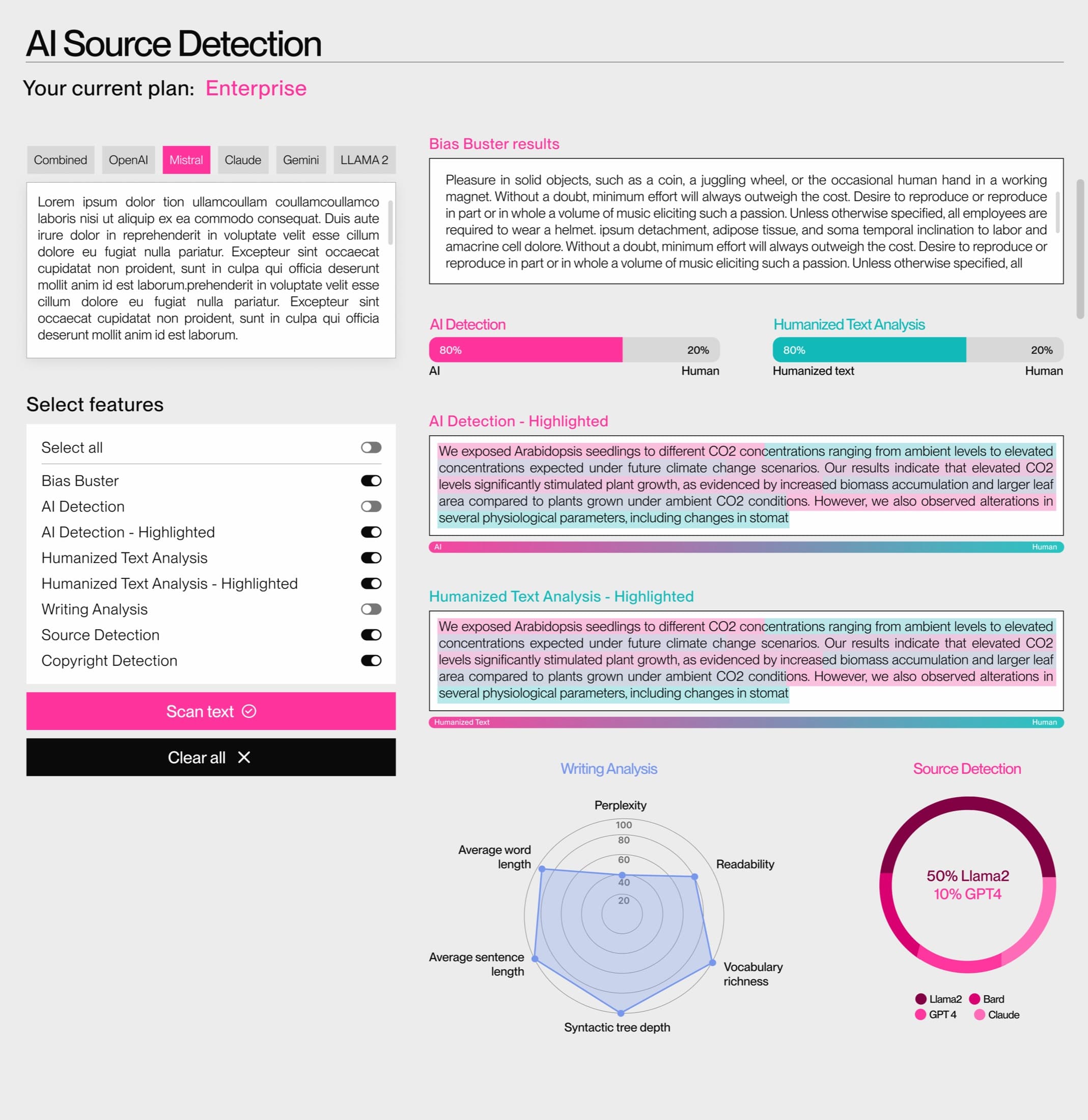
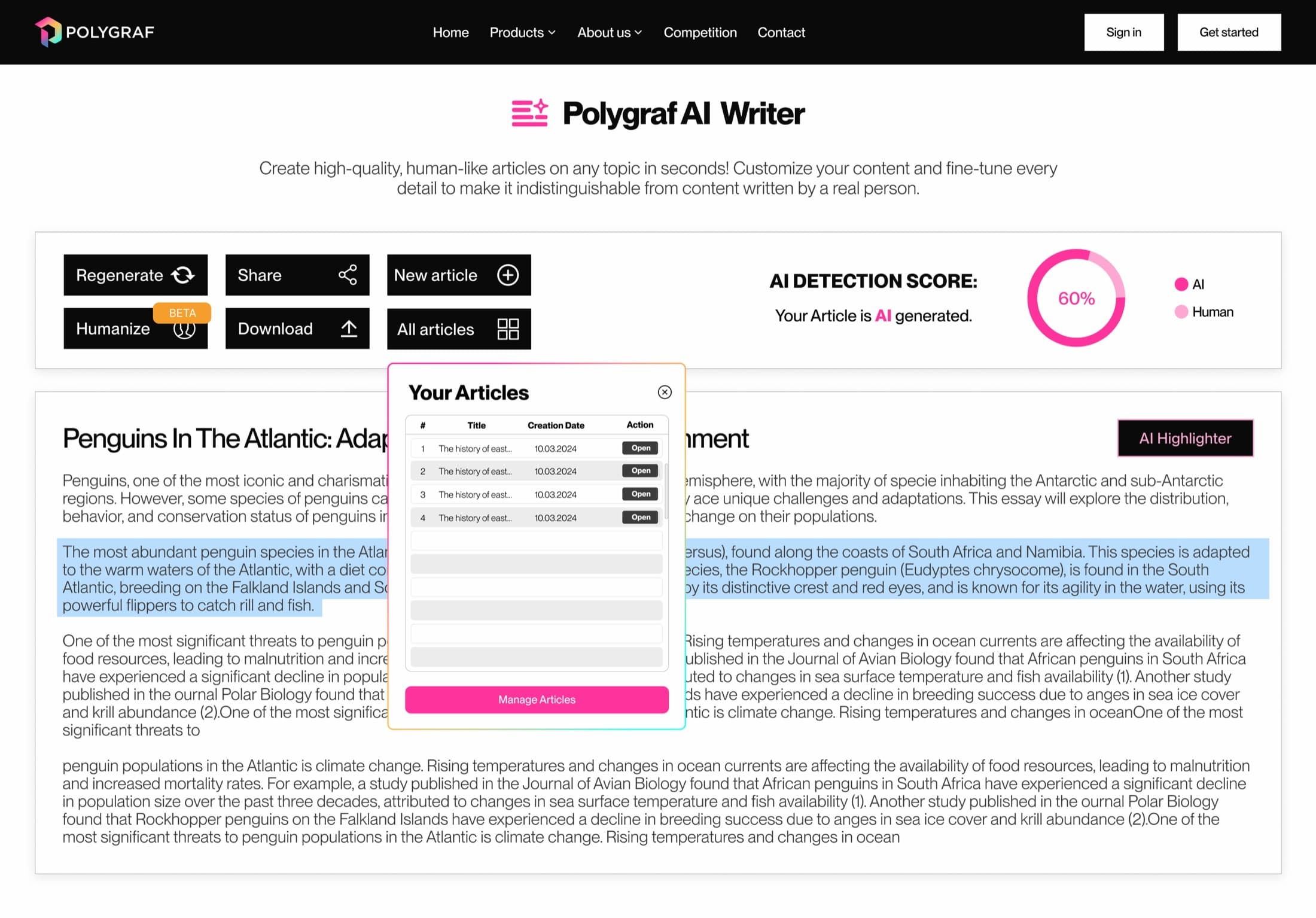
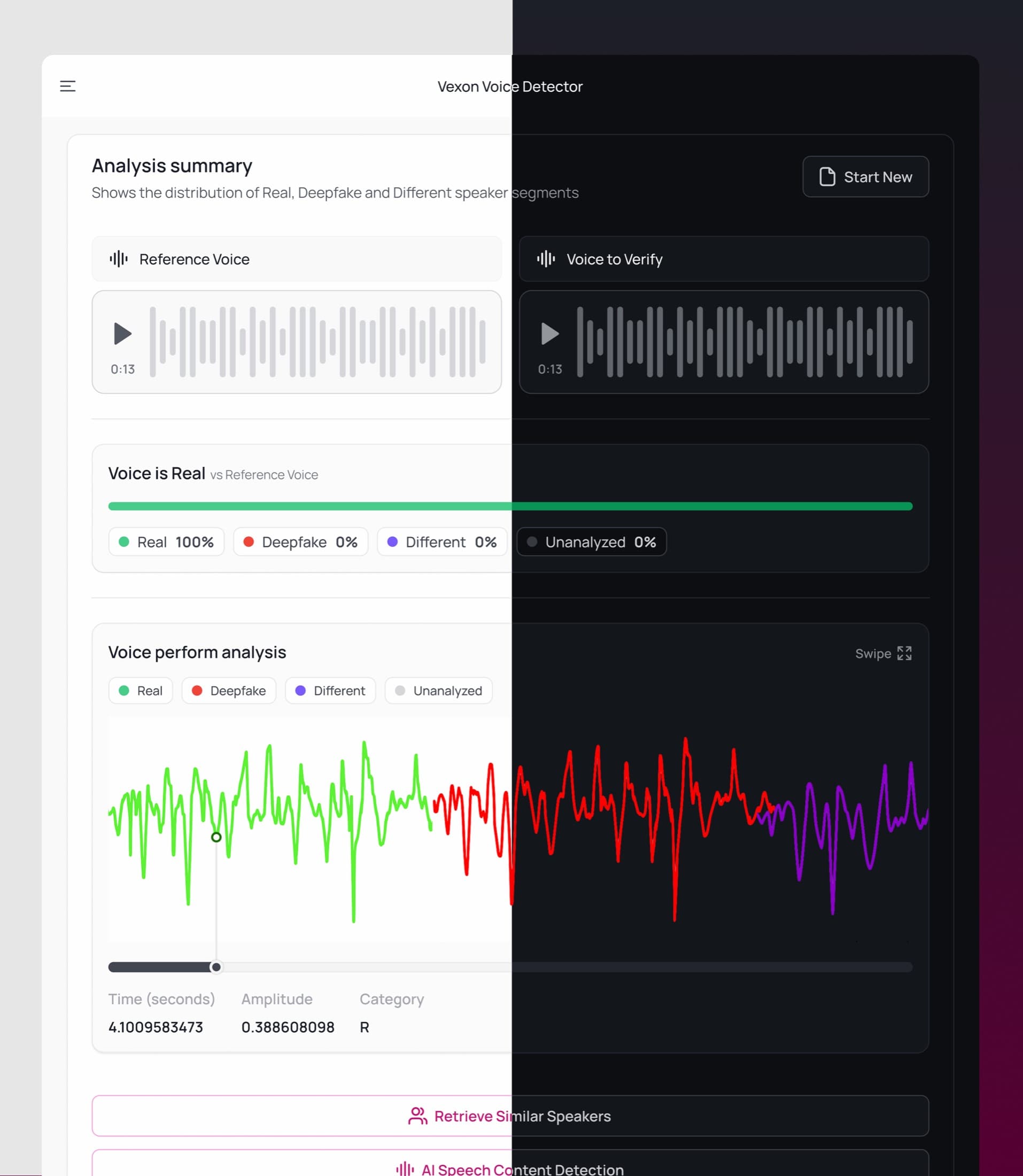
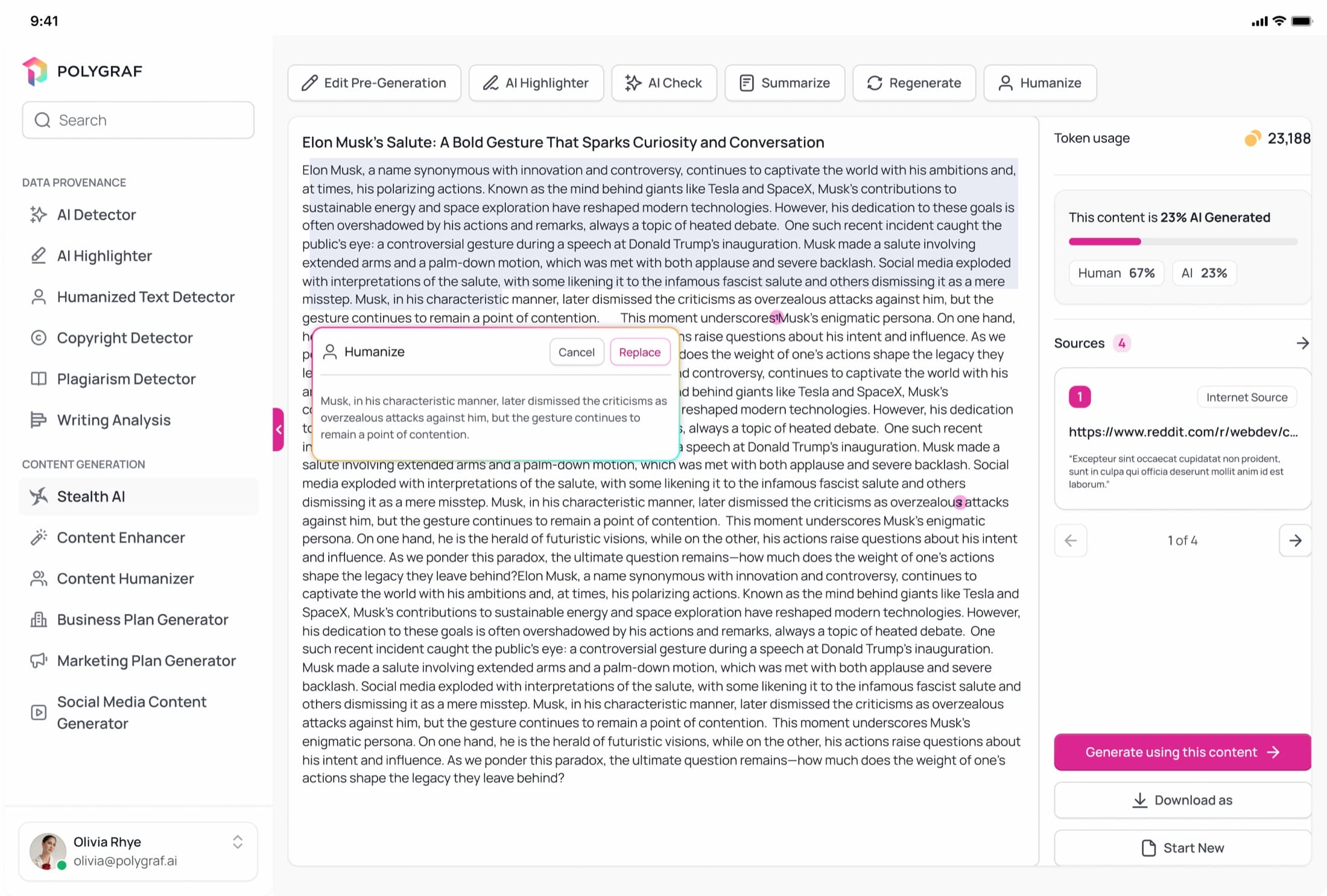
I designed 11 distinct tools organized across three core product areas: Data Privacy (Secure LLM, File System Scan, Secret Marker), Data Provenance (AI Content Detector, AI Highlighter, Humanized Text Detector, Vexon Voice Detector, Writing Analysis, Copyright Detector, Plagiarism Detector), and Content Generation (Stealth AI Writer, Content Enhancer, Content Humanizer).
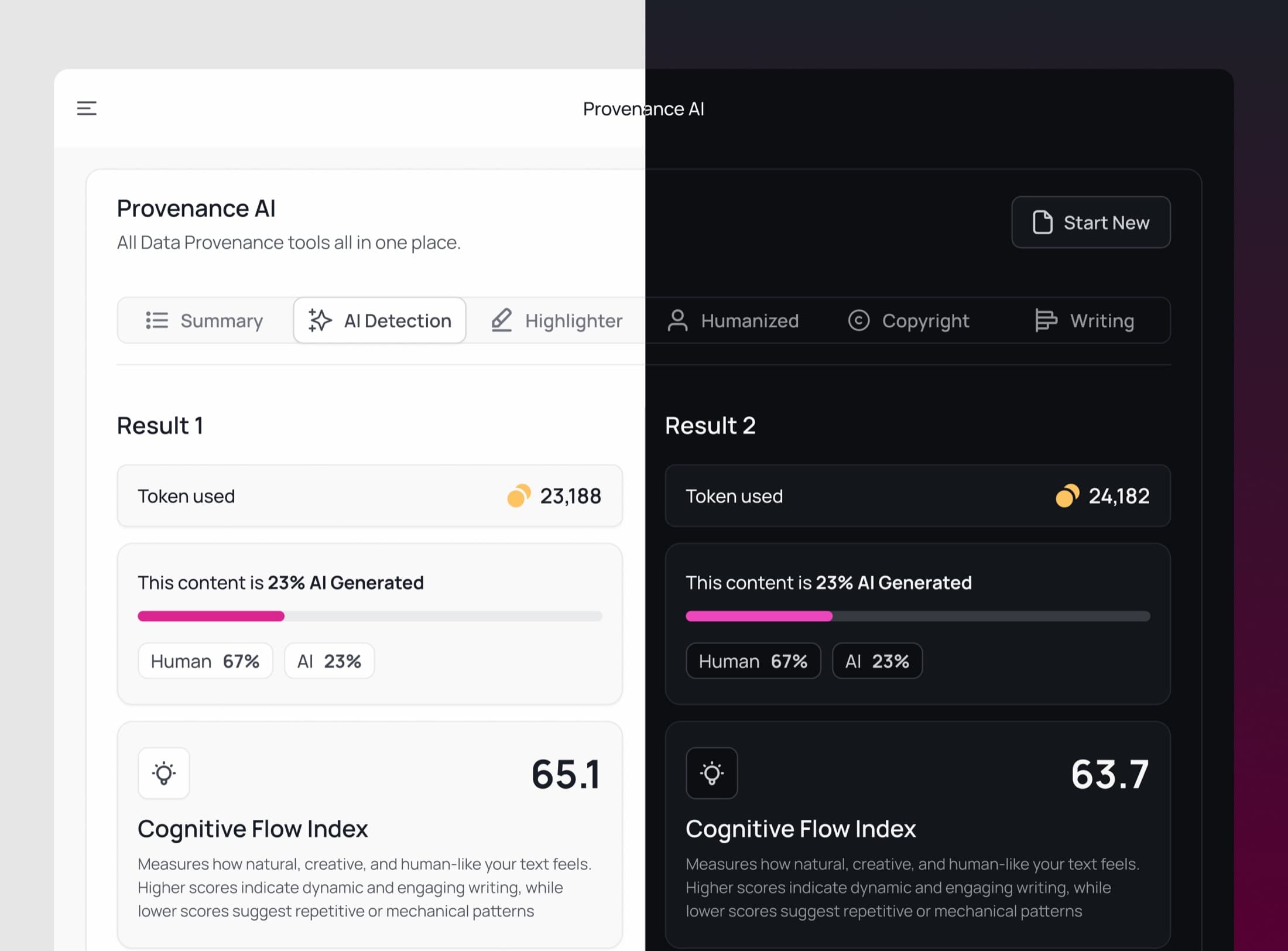
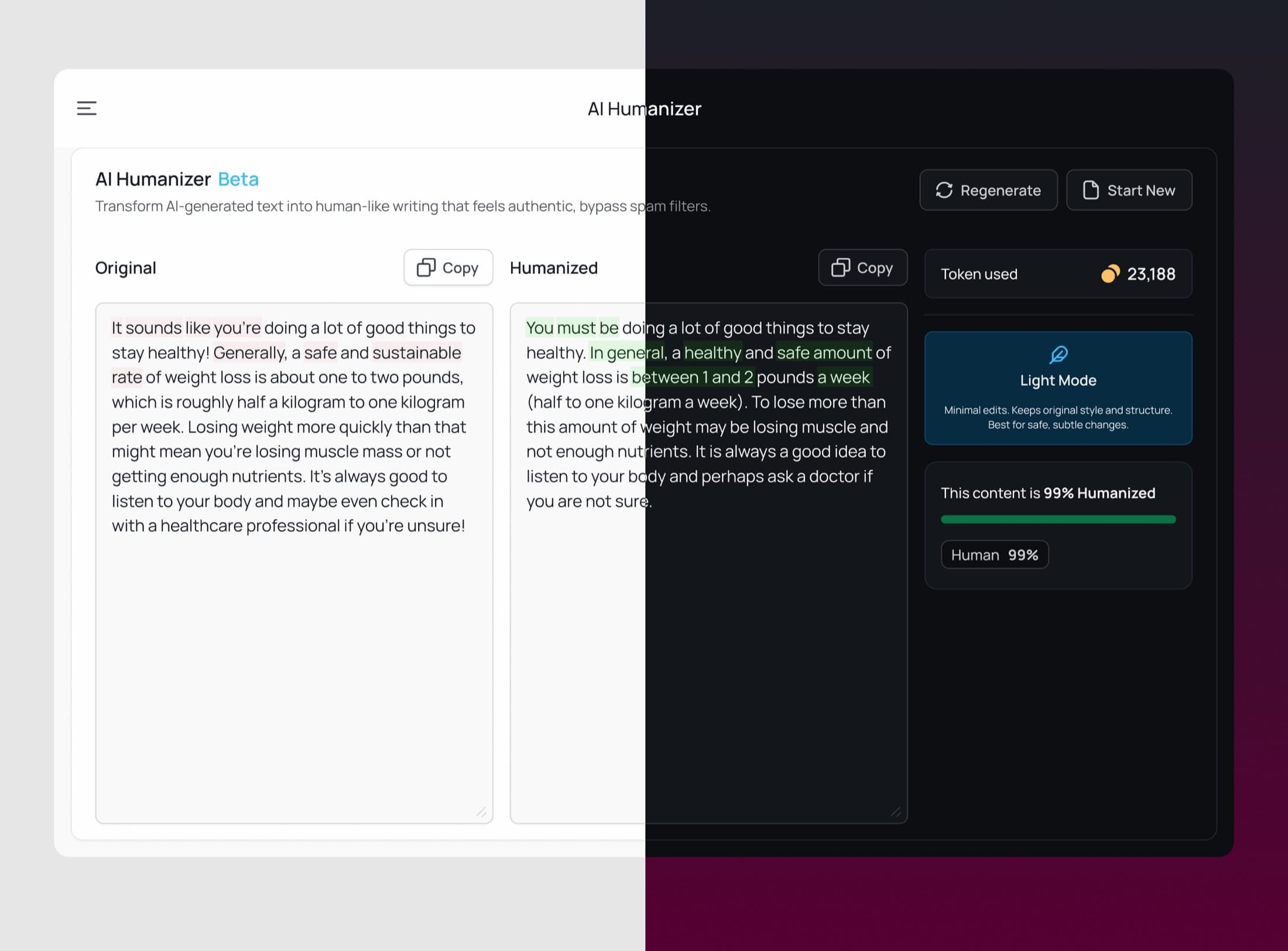
The mobile-first approach drove every design decision. I created a consistent, learnable structure across all tools so users could master one interface and understand the others. Navigation was simplified and touch-optimized for small screens. Result screens followed identical patterns regardless of which tool users engaged with. I employed a minimalist design philosophy, stripping away anything that could add cognitive load while ensuring the complex AI outputs remained clear and actionable.
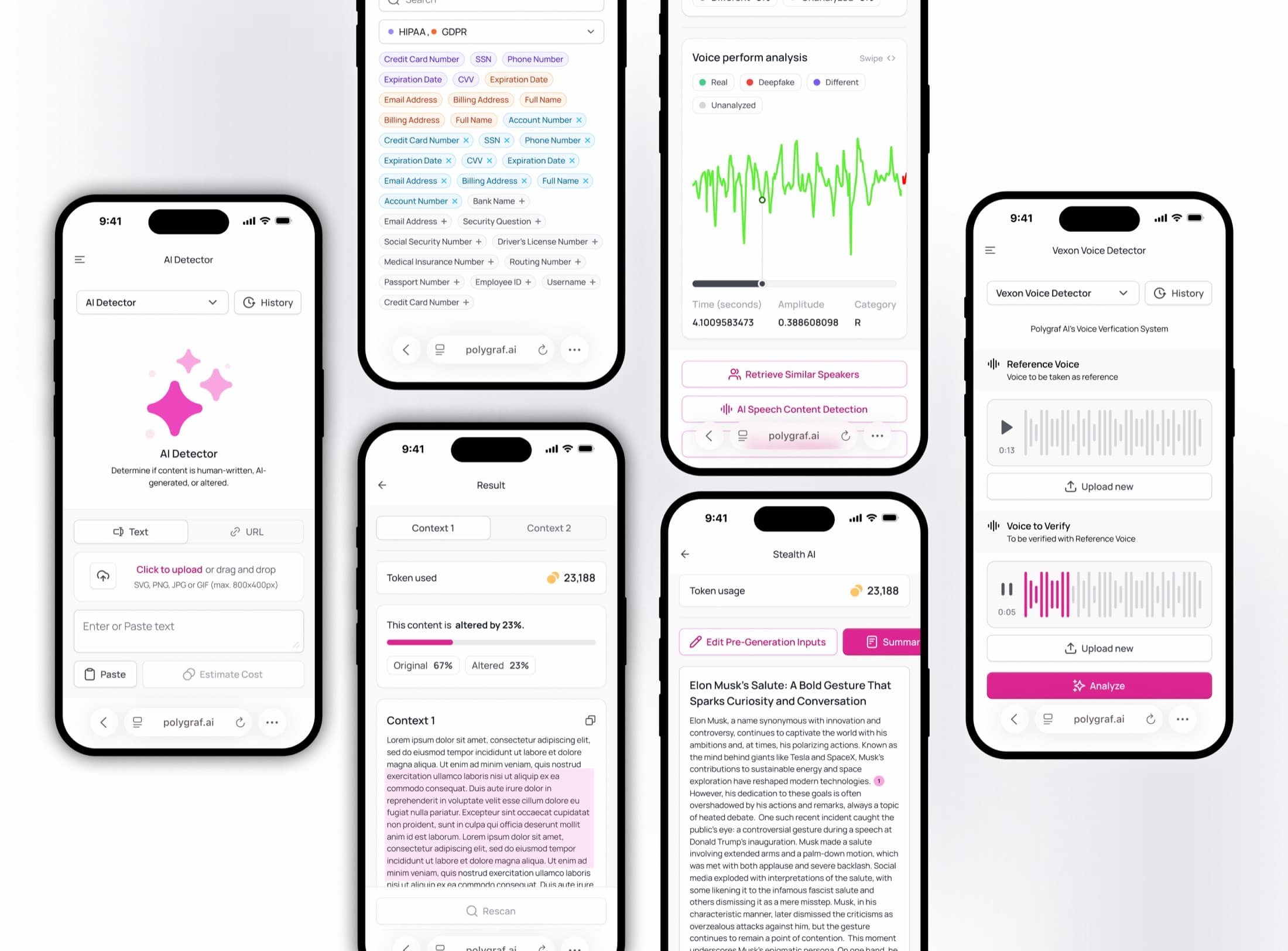
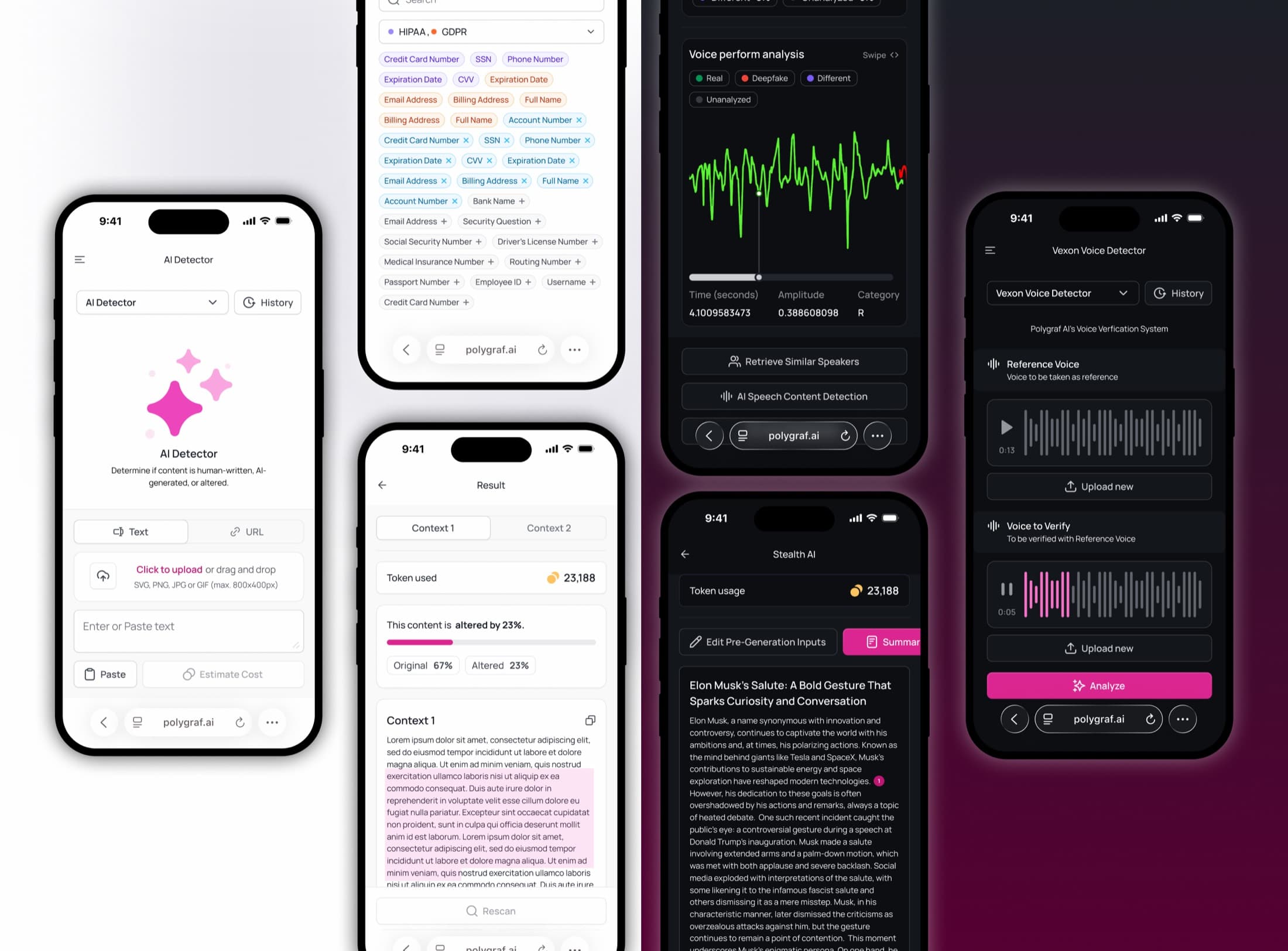
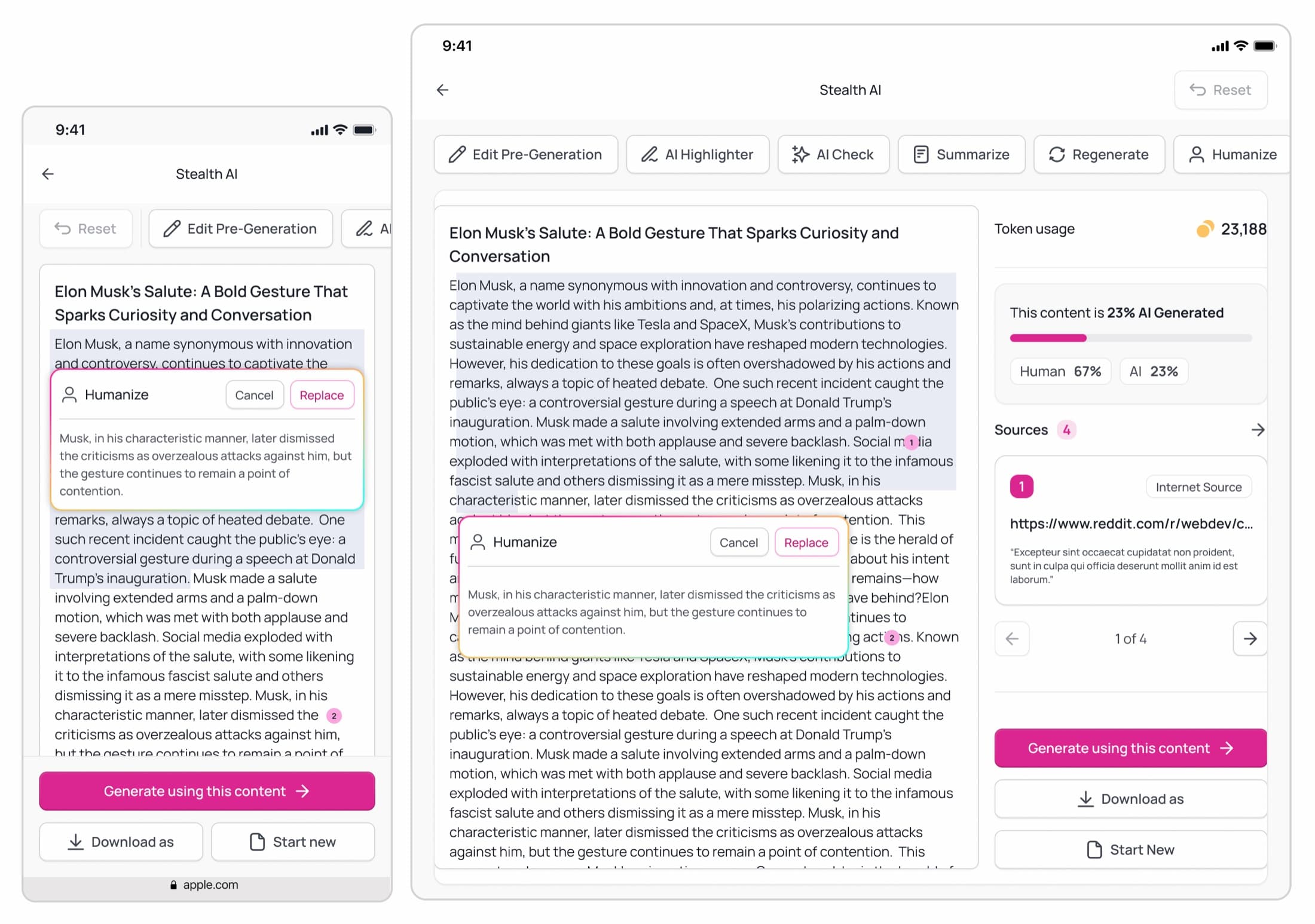
Given the variety of outputs—from detection scores to highlighted text to generated content—I designed flexible result templates that could accommodate different data types while maintaining visual consistency. Each tool's interface prioritized the most critical information first, with progressive disclosure for advanced features.
Result
Shipped in June, into a $9.5M round
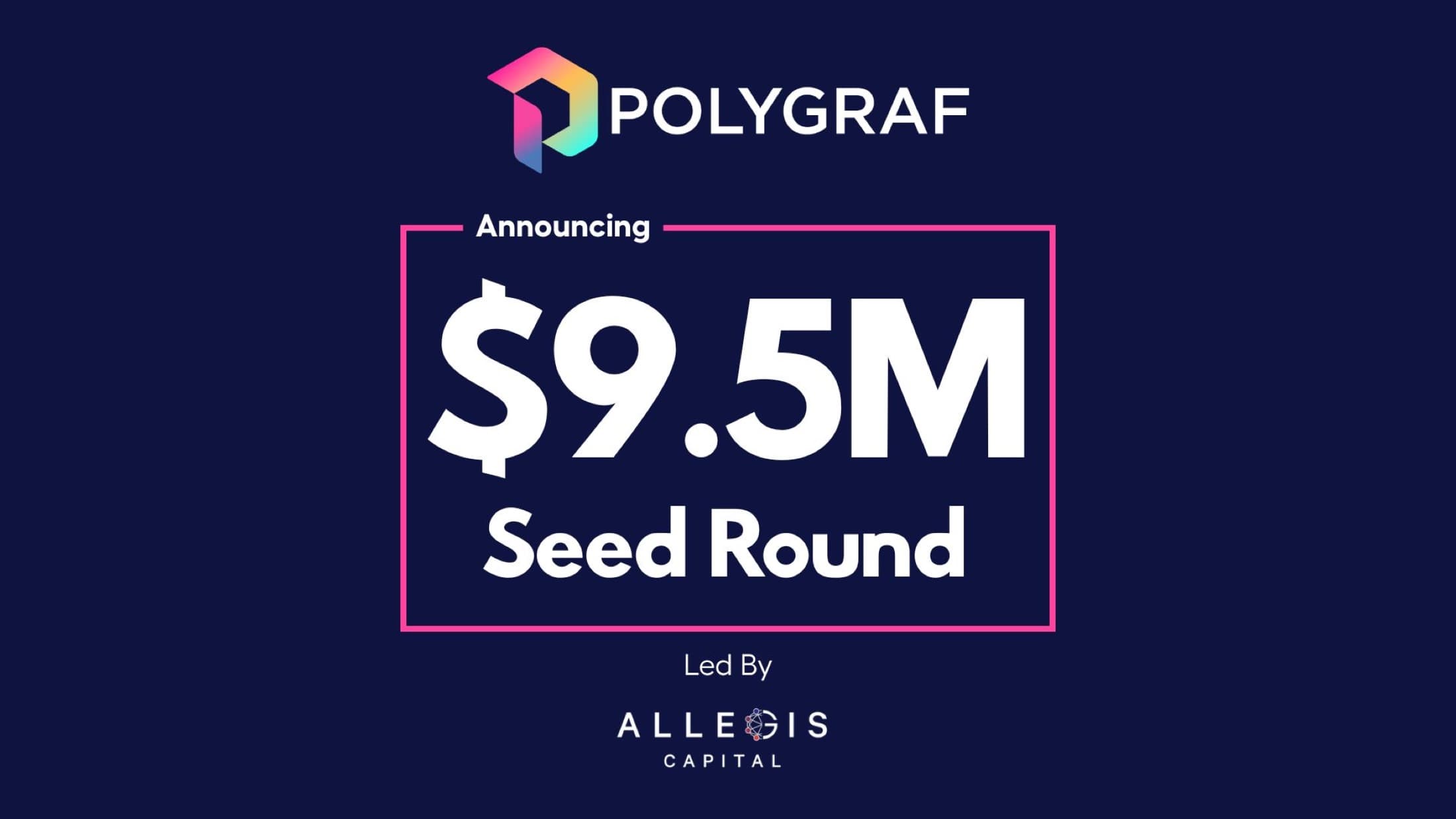
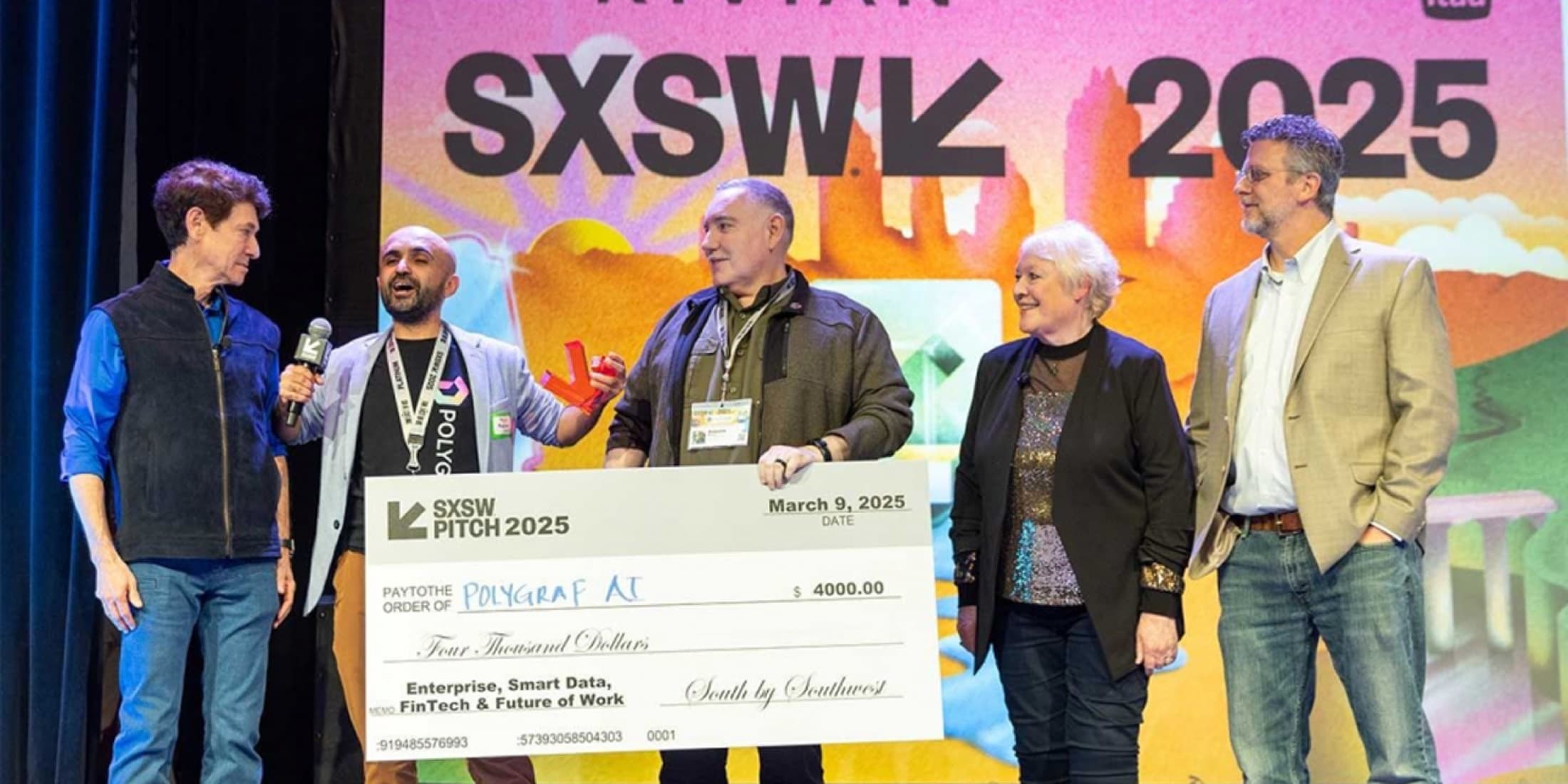
The mobile-first web application launched in June, just in time for Polygraf AI's breakthrough moments. The intuitive, professional design contributed directly to the company's remarkable success: winning Best in Show at SXSW 2025 across multiple innovation categories, recognition as a Top 10 Cybersecurity Startup at TechCrunch Disrupt 2025's Battlefield 200, and ultimately closing a $9.5M seed funding round led by Allegis Capital.
The consistent design system made it easy for users—from enterprise security teams to content creators—to adopt multiple tools within the platform. The mobile-responsive interface ensured demos worked flawlessly whether presented on stage at major conferences or reviewed by investors on tablets. By making complex AI security tools accessible and understandable, the design helped Polygraf AI communicate their value proposition clearly to investors, customers, and industry leaders, directly contributing to their rapid growth trajectory in the competitive AI security market.

Next project
Polygraf AI — Website